
You must be logged in to download this resource. Register now if you don't have an account.
Abstract:
In this workshop, learn how your program and students can take advantage of national developments in digital literacy and access. Representatives from BoulderReads, EveryoneOn, and LINCS will demo helpful resources, websites, and tools to get your teachers, tutors, and students connected.- Bring your own device (BYOD) to get a hands-on experience. ATTACHMENTS: RebootYourDigitalStrategyCOABE20151
You must be logged in to download this resource. Register now if you don't have an account.
Abstract:
Presentation discussing practical ways to use the Problem Solving in Technology Rich Environments (PS-TRE) assessment, a part of the Programme for the International Assessment of Adult Competencies (PIAAC). Presenters will share how they are using this tool with library patrons to better understand adults' skills. Results from the assessment will be used to design library programming to meet their patrons' digital literacy needs. ATTACHMENTS: Using PIAACs Education and Skills Online to Examine Adults Skills Locally
You must be logged in to download this resource. Register now if you don't have an account.
Abstract:
Student engagement can be a challenge in any classroom, and it becomes even more difficult when technology introduces additional boundaries and limitations. Join New Mexico Distance Education & Learning Technology (DELT) Master Teacher Cash Clifton in exploring best practices in online student engagement. Participants will learn about best practices in online teaching, communication skills to foster student motivation, techniques for respecting cultural diversity, and maintaining healthy boundaries with students. ATTACHMENTS: COABE 2016 Clifton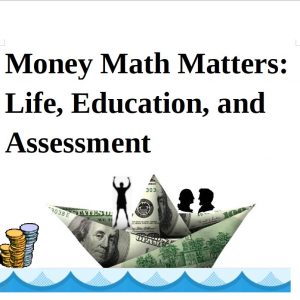
You must be logged in to download this resource. Register now if you don't have an account.
Abstract:
A mix of economic example lesson plans and activities to use in math instruction. Useful ideas for ESL to ASE. Best practices in math and personal financial literacy. Lessons include student activities and background information on economic or personal finance content and how it relates to mathematics. These activities have varied lesson delivery styles that reach a variety of learning styles. Students can apply their mathematics to real world situations. ATTACHMENTS: Economics Flashcards Economics Questions from PowerPoints Financial Literacy Websites mortgage spreadsheet 200000 dollars Principal Then and Now -“ 1913's prices verses today's Money Matters Handout1 money matters
You must be logged in to download this resource. Register now if you don't have an account.
Abstract:
Computer-assisted Instruction for Work-related Basic Reading and Numeracy includes two short, free, basic reading and numeracy professional development videos for teachers. Students preparing to be nursing assistants are shown in a computer lab using KeyTrain computer-assisted instruction software in an authentic class providing basic reading and numeracy. Interviews provide background on Notre Dame Education Center (NDEC) in Lawrence, Massachusetts, its computer-assisted instruction program, and its related job skills training, work readiness and support services. Computer-assisted instruction coaches discuss the program and how students use the instructional software; and two students discuss how they use computer-assisted instruction at the program and at home. Links to the videos and a document that shows which math and reading skills in the curriculum are used by nursing assistants will be found at http://www.mlots.org/?page_id=61
You must be logged in to download this resource. Register now if you don't have an account.
Abstract:
Computer-assisted Instruction for Work-related Basic Reading and Numeracy includes two short, free, basic reading and numeracy professional development videos for teachers. Students preparing to be nursing assistants are shown in a computer lab using KeyTrain computer-assisted instruction software in an authentic class providing basic reading and numeracy. Interviews provide background on Notre Dame Education Center (NDEC) in Lawrence, Massachusetts, its computer-assisted instruction program, and its related job skills training, work readiness and support services. Computer-assisted instruction coaches discuss the program and how students use the instructional software; and two students discuss how they use computer-assisted instruction at the program and at home. Links to the videos and a document that shows which math and reading skills in the curriculum are used by nursing assistants will be found at http://www.mlots.org/?page_id=61
You must be logged in to download this resource. Register now if you don't have an account.
Abstract:
Engaging and effective classroom practices and activities in teaching Social Studies with a multiplicity of disciplines including: history, geography, math, science, and technology. Resources, how-tos, hands-on games, maps, hardcopies and computer-based interactions with writing prepare students for the life-skills, ABE, and ASE. Geography, History, Math, Science, Technology ATTACHMENTS: A Multiplicity of Disciplines Social Studies Presentation handout accompaniment M. Matos
You must be logged in to download this resource. Register now if you don't have an account.
Abstract:
In this workshop, learn how your program and students can take advantage of national developments in digital literacy and access. Presenter will demo helpful resources, websites, and tools to get your teachers, tutors, and students connected.- Bring your own device (BYOD) to get a hands-on experience.