
Download Resource
You must be logged in to download this resource. Register now if you don't have an account.
Abstract:
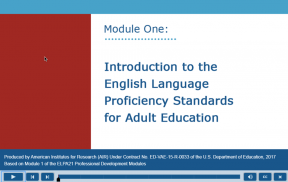
This module introduces the English Language Proficiency Standards for Adult Education and provides an understanding of why and how the standards were selected and how they are organized.
Publication Year
2017
Module One, “Introduction to the English Language Proficiency (ELP) Standards for Adult Education” is the first in a series of three professional development modules about the ELP Standards for Adult Education. These training modules are intended for instructors, program administrators, professional development staff and other key stakeholders. Module One answers the question: what should every adult educator working with adult English language learners (ELLs) know about the new ELP Standards for Adult Education?
Specifically, online training addresses the following questions:
- Why were ELP standards identified for adult education? Who identified them?
- How were the ELP Standards for Adult Education identified? Who is their audience?
- What do the ELP standards entail and why?
- How do the ELP standards correspond to states’ academic content standards?
- How can adult educators begin to use them?
Benefits and Uses
By the end of Module One, participants should be able to:
- Understand the rationale and history behind the selection of the ELP Standards for Adult Education;
- Recognize how the new ELP standards relate to states’ academic content standards;
- Recognize how the ELP standards may differ from previous sets of language standards;
- Identify the goals, guiding principles, essential components, and language used in the ELP Standards for Adult Education; and
- Navigate the ELP Standards for Adult Education.
- Download and print the module’s resources (which appear in the Resources tab beginning on slide 4) before you begin the training.
- Please turn off pop-up blockers in your browser for this module.
- Use the following instructions for navigating through this module using your keyboard and using JAWS assistive technology:
- Use the Tab key to move forward through each screen’s content. Press Shift + Tab to move backwards. A box surrounds the object that is currently selected.
- To select the skip navigation button and the navigation buttons that appear at the bottom of the screen (Play, Pause, Forward, Back, Volume, Closed Captions and Exit buttons), use the spacebar key.
- Press Shift + Enter to select a navigation button at the top of the screen or a hyperlink.
- For closed captioning select the cc button.
Required Training
None. An understanding of your state’s academic content standards is helpful.
Resource Notice
This site includes links to information created by other public and private organizations. These links are provided for the user’s convenience. The U.S. Department of Education does not control or guarantee the accuracy, relevance, timeliness, or completeness of this non-ED information. The inclusion of these links is not intended to reflect their importance, nor is it intended to endorse views expressed, or products or services offered, on these non-ED sites.
Please note that privacy policies on non-ED sites may differ from ED’s privacy policy. When you visit lincs.ed.gov, no personal information is collected unless you choose to provide that information to us. We do not give, share, sell, or transfer any personal information to a third party. We recommend that you read the privacy policy of non-ED websites that you visit. We invite you to read our privacy policy.