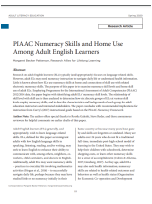
Research on adult English learners (ELs) typically (and appropriately) focuses on language-related skills. However, adult ELs may need numeracy instruction to navigate daily life or understand health information. Little is known about how ELs use numeracy skills at home and connections of skill use with related electronic numeracy skills. The purpose of this paper is to examine numeracy skill levels and home skill use of adult ELs. Employing Programme for the International Assessment of Adult Competencies (PIAAC) 2012/2014 data, the paper begins with identifying adult ELs’ numeracy skill levels. The relationship of skill level with skill use is then analyzed to determine how six discrete groups of ELs at various skill levels employ numeracy skills, and to describe characteristics and backgrounds of each group for adult education instructors and interested stakeholders. The paper concludes with recommended implications for instruction from Curry’s (2017) instructional guide based on the PIAAC Numeracy Framework.
Benefits and Uses
This research expands on earlier 2012 and 2014 findings reported by the Programme for the International Assessment of Adult Competencies (PIAAC). It addresses further useful variables related to the needs of ELs to acquire numeracy and math skills.
Adult educators may find this report useful in different ways, depending on the role they play in the field and on the needs of the population they serve. All readers working in adult education, whether they serve ELs or native speakers of English, will benefit from the Abstract and initial remarks, which offer a useful summary of the purpose of the study in meeting the researched numeracy skills required by adult English learners (ELs) in the United States. Readers who do not serve ELs will also recognize the benefit to native English speakers in addressing the needs described in this study.
The Abstract and the introductory remarks that follow, define the difference between numeracy and math skills and provide a review of the related at-home needs faced by most lower-level Els and even native English speakers in programs. Those needs better define curriculum topics that should be addressed more in teaching ELs. Administrators can draw from this analysis to design programming to address the numeracy skill needs of English learners. Curriculum developers will find specific details to integrate into curriculum segments.
The article abstract describes the organization of this report. The report initially defines the term EL as “immigrant adults with low English language skills in speaking, listening, reading, and/or writing, [who] may seek to learn English to enhance their ability to communicate with, among others, neighbors, coworkers, child caretakers, and doctors in English.” That definition is not always clearly defined as such in later references to ELs, but generally, the research addresses the numeracy needs of selected adults, ages 25 to 74 years, first-generation immigrants, who experience challenges with English proficiency. Although that definition is limited, adult educators will find that the lessons learned and the recommendations made as a result of this study will provide implications for additional adult learners, including native English speakers in some cases.
The details relating to each aspect of the research are addressed in response to three questions:
1. What are average numeracy skill levels and numeracy at-home use rates of adult English learners (ELs) in the aggregate?
2. Controlling for education attainment, family background, and health, how does numeracy at-home use of adult ELs predict numeracy skill levels?
3. How does numeracy at-home use of adult ELs differ among discrete groups based on covariates (from Research Question [RQ] 2) and numeracy skill levels? What are descriptive characteristics of each group?
This report includes tables and charts showing the types of numeracy skills surveyed, the characteristics of six groups in relation to several issues (education, health, income, and more), and the results found in each listed aspect. The details presented in these tables and charts may serve adult educators in the US with (1) data to support proposal requests for budget items relating to those findings and (2) useful lists of skills that programs may want to address in integrating numeracy and health topics in language instruction, both for EL’s and native English-speaking students lacking literacy skills. Proposal writers will find the data reported useful in supporting proposals to fund related instruction. Future researchers will find helpful guidance in developing further data to pursue studies to deepen and expand the field's knowledge of adult English learners' numeracy skill needs.
The actual description of the study, conducted to expand on data already provided by PIAAC on the topic, will be useful to other researchers who wish to also use the final section, Conclusions and Recommendations for Future Research, as a guide to provide further data to programs in integrating numeracy and math into instruction. The Reference List will also provide future researchers and other authors with resources to develop further instructional tools to promote numeracy and math instruction in adult education programs.
The Implications for Practice Engagement and Health and the Implications for Instruction sections will be more significant and useful to instructors and curriculum developers who wish to integrate English language instruction with numeracy and health topics leading to improving the lives and educational opportunities of Els in the United States. Since numeracy skills are not often addressed in English classes, one hopes that instructors will be motivated to integrate these essential skills into instruction, and they will find helpful ideas in this resource on how to do that.
Most findings in this research are not likely to add a great deal of actual knowledge about ELs the field, since practitioners tend to be very familiar with the fact that ELs face numeracy and math challenges in their lives although they don’t often have students practice those skills in instruction. However, Table 1 provides helpful reminders of items that ELs face in their daily lives, some of which may be new to practitioners. Perhaps not so widely recognized among practitioners is the relationship of numeracy needs to health needs, expressed in Table 2. As a result, practitioners might consider integrating functional health-related computations (reading prescriptions, interpreting dosages, and more) into their language instruction. In addition, since this research found that learners with low numeracy skills also often face health-related issues, instruction might also include helpful strategies for maintaining good health in stressful environments.
What the experts say
This resource makes a useful distinction between numeracy skills and mathematics with numeracy being the skills employed in one's daily life such as budgeting or measuring medicine correctly compared to abstract mathematics concepts.
It also addresses a very big gap in adult education: numeracy and math instruction among English Language Learners. Experienced adult-education practitioners have long recognized the lack of numeracy and math skills among low-level learners. However, there has not been a strong movement to date to encourage the acquisition of numeracy and math skills in instruction among ELs. Practitioners recognize that the many English learners seeking to earn a high school equivalency diploma do receive math instruction once their English skills are at an adequate level; however, numeracy is not always a routine focus in English language classes. In fact, the need for numeracy skills has often been overlooked. Instruction often limits practice to the language needs of ELs without much attention to helping them integrate numeracy and math into practice, including math terminology, which can vary considerably among different countries.
This study expands on very useful findings from the 2012 and 2014 report published by the Programme for the International Assessment of Adult Competencies (PIAAC). The analysis of PIAAC data focused on English learners suggests there is a need to offer programming related to numeracy skills to a subset of adults who seek English language instruction. The recommendation made here is to integrate numeracy skills drawn from PIAAC's Numeracy framework into instruction for English learners. The resource provides a helpful list of numeracy and lower-level math skills, especially related to financial literacy, that students regularly use at home and that instructors should integrate into practice. English instruction typically focuses on learners' needs, so incorporating aspects of numeracy makes sense. In that regard, more than teaching ELs to make doctor appointments for themselves or their children, for example, instructors might do well to teach them how to measure doses and physical data using the U.S. mathematical system and terminology. This resource includes a Table 1 list of Items for At-Home Use of Numeracy Skills, which might come in handy in developing curricula. As noted, English teachers would benefit from training on ways to effectively address the numeracy needs of adult English learners while math instructors would benefit from how to adapt instruction to make it accessible to English learners.
One newer concept exposed in this research is the well-connected data showing the relationship between low literacy and numeracy skills to the health needs of ELs. In addition to adding financial numeracy and/or basic math into plans, instructors might also integrate health topics into instruction, including related computations that might be helpful to students. Under the section “Implications for Instruction,” several ideas on actual practice are shared.
Readers playing different roles in adult-education programs will find different aspects of this resource helpful, from using the very detailed research information in proposals, to making curriculum changes to include numeracy/math/health skills, to integrating segments in instruction that encourage learners to not only speak the language of math but apply numeracy/math skills in solving problems that will help them improve the quality of their lives as immigrants or as other adult learners in the United States.
Resource Notice
This site includes links to information created by other public and private organizations. These links are provided for the user’s convenience. The U.S. Department of Education does not control or guarantee the accuracy, relevance, timeliness, or completeness of this non-ED information. The inclusion of these links is not intended to reflect their importance, nor is it intended to endorse views expressed, or products or services offered, on these non-ED sites.
Please note that privacy policies on non-ED sites may differ from ED’s privacy policy. When you visit lincs.ed.gov, no personal information is collected unless you choose to provide that information to us. We do not give, share, sell, or transfer any personal information to a third party. We recommend that you read the privacy policy of non-ED websites that you visit. We invite you to read
our privacy policy.
Publication Year
2020